Office Hours
Places to Get Help
The fastest places to get help in EECS 183 are:
- Project questions not involving code: Piazza
- Project questions involving your code: Staff office hours, professor office hours
- Lab assignments, class concepts: Piazza, staff office hours, professor office hours
- Course logistics requests (extensions, emergencies): Admin Form
- Anything else: office hours
Office Hours are times the course staff and professors have dedicated to helping you. We’re happy to help!
When office hours are busy, we spend a strict 10–15 minutes per person to ensure everyone can get helped.
- If you want help on anything other than the final project: please see the faculty and general staff office hours on this page.
- If you want final project help specifically: we have a different set of office hours. See the special Elevators and Arduino calendars below.
Faculty Office Hours (In-Person)
- Steve Bogaerts:
- Time: Tuesdays & Thursdays 4:30–6:00 PM (on days we have lectures)
- Location: 1837 East Hall
Staff Office Hours (In-Person and Virtual)
Staff office hours (in-person and virtual) are shown in the calendars below. We aim for office hours to meet at a consistent time and place each week, but occasionally some adjustments may be necessary. Please verify the time and location here for office hours you plan to attend. Also note that there are no office hours on university holidays.
There are two kinds of staff office hours:
- General office hours: help with anything in the course, including labs, class concepts, and projects.
- Final project office hours: help with a specific final project only, with separate calendars for Elevators and Arduino.
All staff office hours, general and final project, use the same queue. See How to Attend Staff Office Hours below.
General Office Hours
Final Project Office Hours
These office hours are for help with the final project, and each calendar is for one project. Please attend the hours for your project.
Elevators Office Hours
Arduino Office Hours
How to Attend Staff Office Hours (In-Person and Virtual)
These steps are the same for general and final project office hours.
Navigate to the main office hours site, https://eecsoh.eecs.umich.edu/.
If you are not signed in, click the Login Button at the top right of the page:
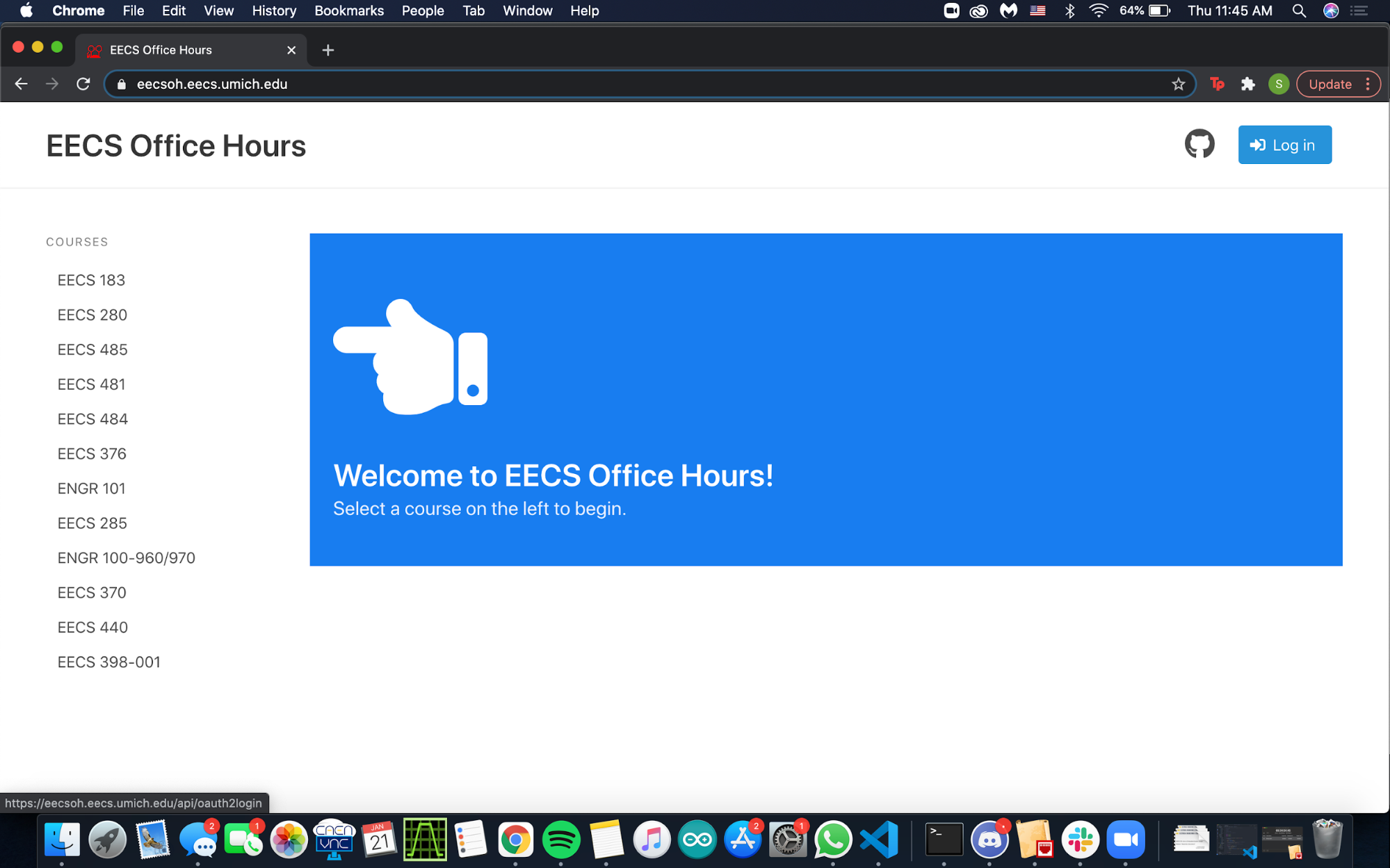
OH Queue Login Page You should be redirected to the office hours page. Select
EECS 183on the left and selectPython. Enter a descriptive message of what you need assistance with and either: 1) Indicate where you are in the room for in-person office hours, or 2) insert a Google Meet or Zoom link (steps for Google Meet in next section).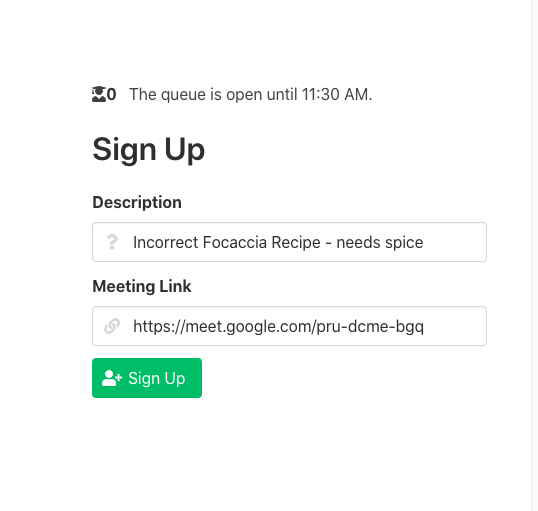
Entering a descriptive message You should now be on the queue as seen in the above image and will be notified when you are up next. If it is your first time on the queue for the day, you are prioritized. After that, other first-timers of the day receive priority. Ensure that you are in your Google Meet when you are close to the top, or you may risk losing your priority status.
- You will be notified if there is an issue with your meeting (e.g. you aren’t there or your link is expired). If sufficient time has elapsed and the issue is unresolved, we will warn you before popping you off the queue.
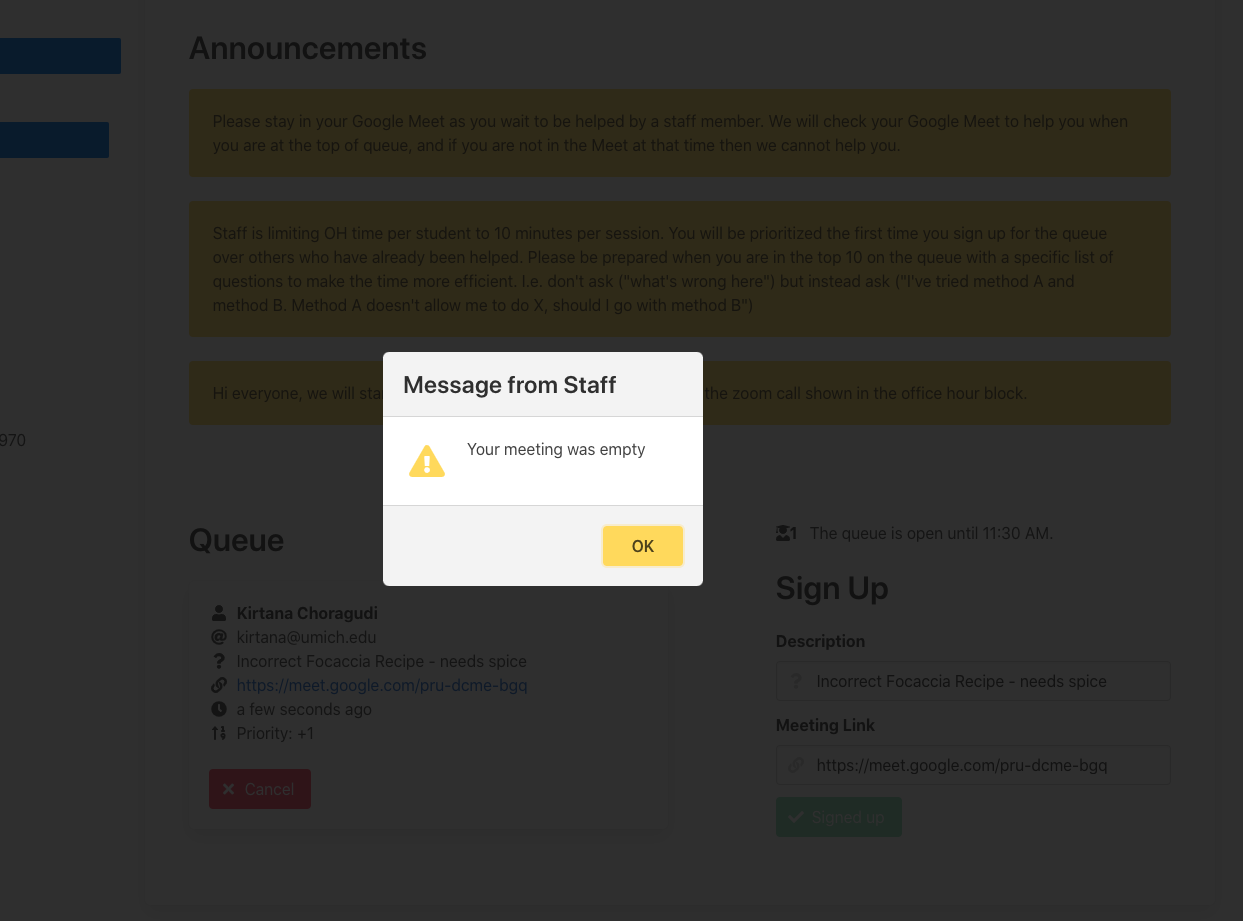
Warning about an empty room
Setting Up a Google Meet
Here we’ll discuss setting up a Google Meet for virtual office hours. (You may instead use Zoom if you prefer.)
Go to your Google account and select the grid and find the Meet icon.
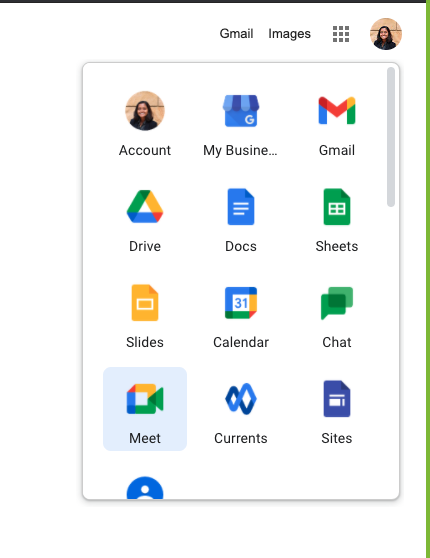
Google Apps Grid Click the “Join or Start a Meeting” tab. The meeting name is unimportant. Start the meeting by clicking “Continue” and then “Join Now.”
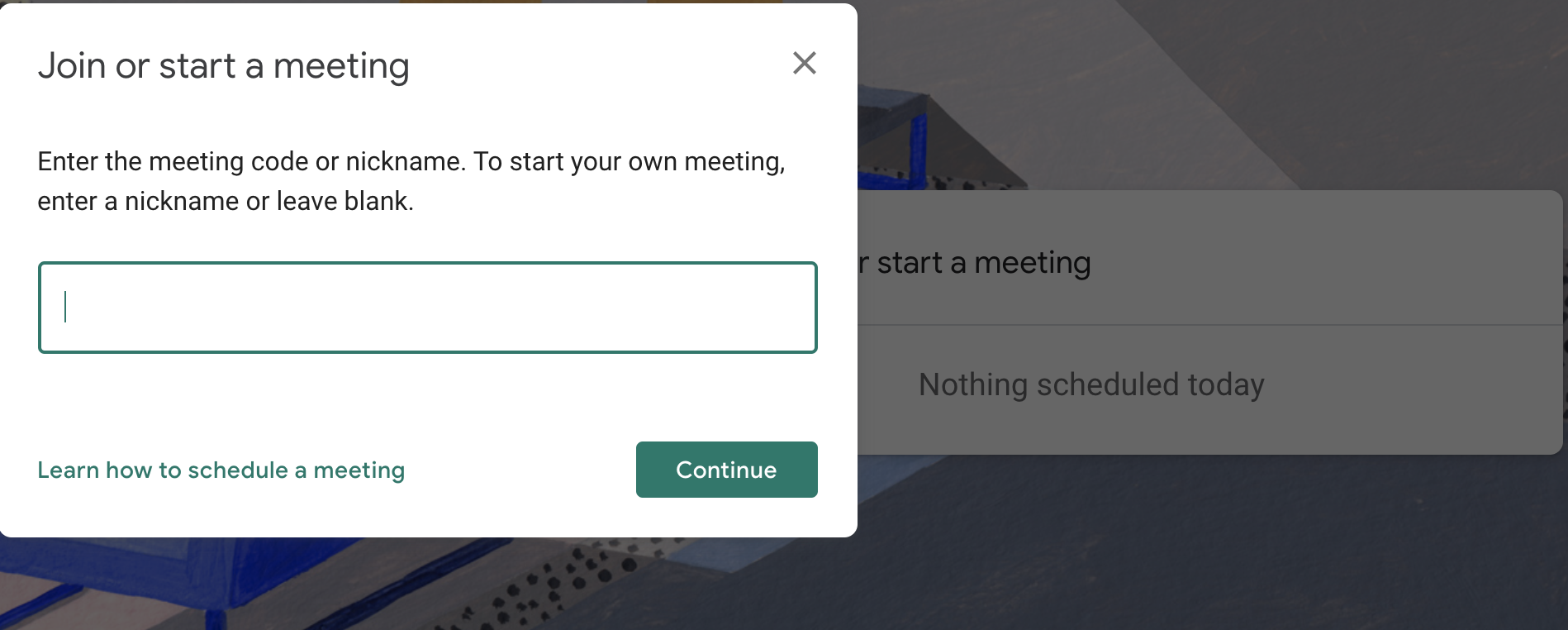
Starting a Google Meet Copy-and-paste this link into your office hours “Meeting Link” text box and your meeting is ready!
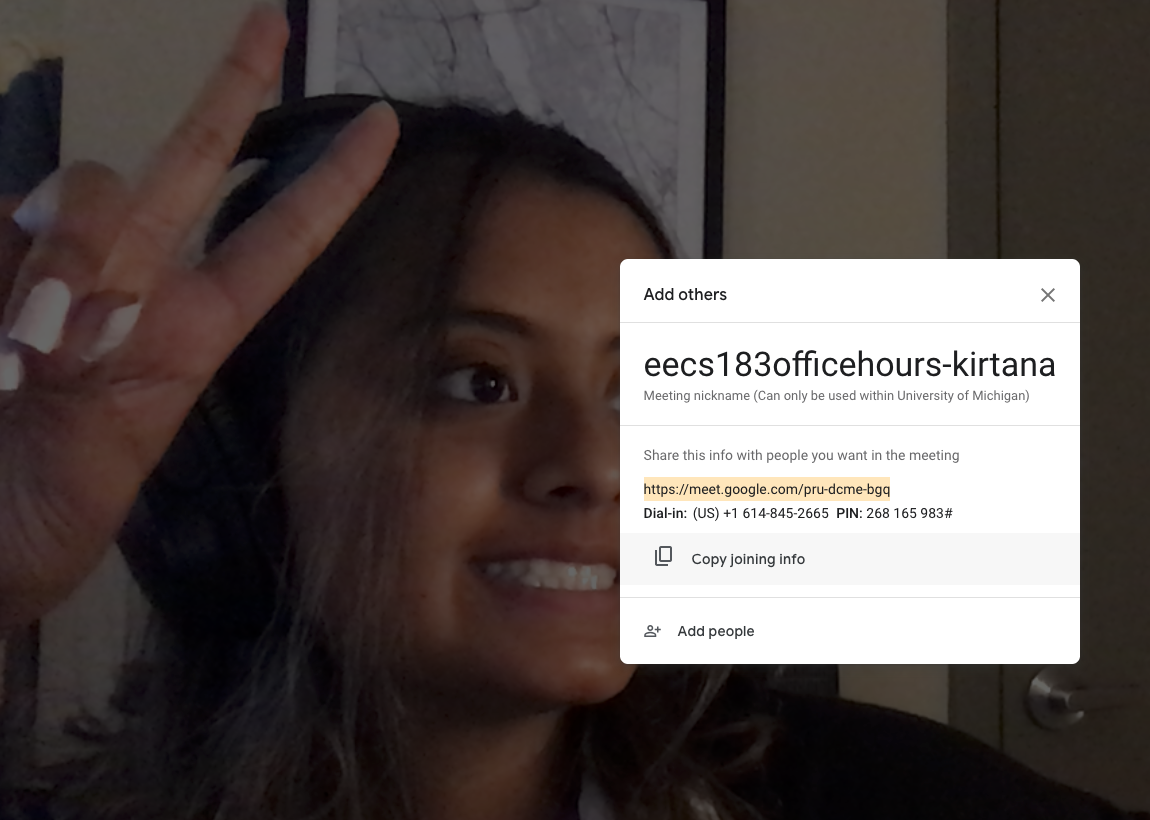
Meeting link copied into the appropriate text box
Office Hours Etiquette
As we prepare for labs and projects this semester, it’s important to remember proper office hours etiquette:
- When possible, please come with specific questions. If you are having trouble forming a specific question, please come anyway! But spending time forming precise questions can often help you figure things out, and also helps us help you. Some examples of questions that are a bit too general include:
- “My code is not working for this test case, please help me fix it”
- “How do I catch the last bug for this function?”
- While we’re talking with you, please don’t plan on doing extensive coding. If we suggest a large code change, please plan to work on that separately and then, if you wish, get back in line for more discussion.
- Please remember the GSIs and IAs are not there to solve all your code problems, but rather as a guide in the right direction.
- For virtual chats, please ensure that you are able to be in your Zoom / Meet room by the time an instructor gets to you. If you need to step out or are in the middle of something, please put that in your description so you are not removed from the queue.
- Be polite and respectful. It is easier to facilitate an inclusive, comfortable learning environment when there is kindness received and given :)
Copyright and Intellectual Property Notice
© 2026 William Arthur and Steven Bogaerts. All rights reserved.
All materials provided for this course, including but not limited to labs, projects, notes, and starter code, are the copyrighted intellectual property of the author(s).
- Student Use: These materials are provided solely for the educational use of students currently enrolled in this course at the University of Michigan - Ann Arbor. Students may not copy, reproduce, republish, or distribute these materials (in part or in full) to any public or private platform.
- External and Instructor Use: No part of these materials may be used, adapted, or distributed by external instructors or institutions without the explicit written permission of the author(s).
To request permission to use or adapt these materials for educational purposes, please contact the author(s).